How to increase Black Friday sales starts with one question: where do shoppers leave?
Most stores answer with a bigger discount, a timer and more emails. Sales usually die elsewhere:
A shopper can’t spot the offer on a collection page.
A $9 shipping fee shows up at the last step.
Checkout stalls on a phone.
A plugin update breaks Thursday’s coupon.
I write for WooCommerce store owners, developers and agencies at InnoCodia, the team behind Better Badge. This guide rests on one idea: before you cut another price, remove the reasons someone has to leave.
Where to start. Store owners: strategies 2, 5, 6 and 12 to 14. Developers and agencies: 1, 4 and 14. Each strategy ends with one number to watch.
Disclosure: Better Badge is our plugin. I mention it where badges apply. The advice works with any tool.
Key takeaways: how to increase Black Friday sales
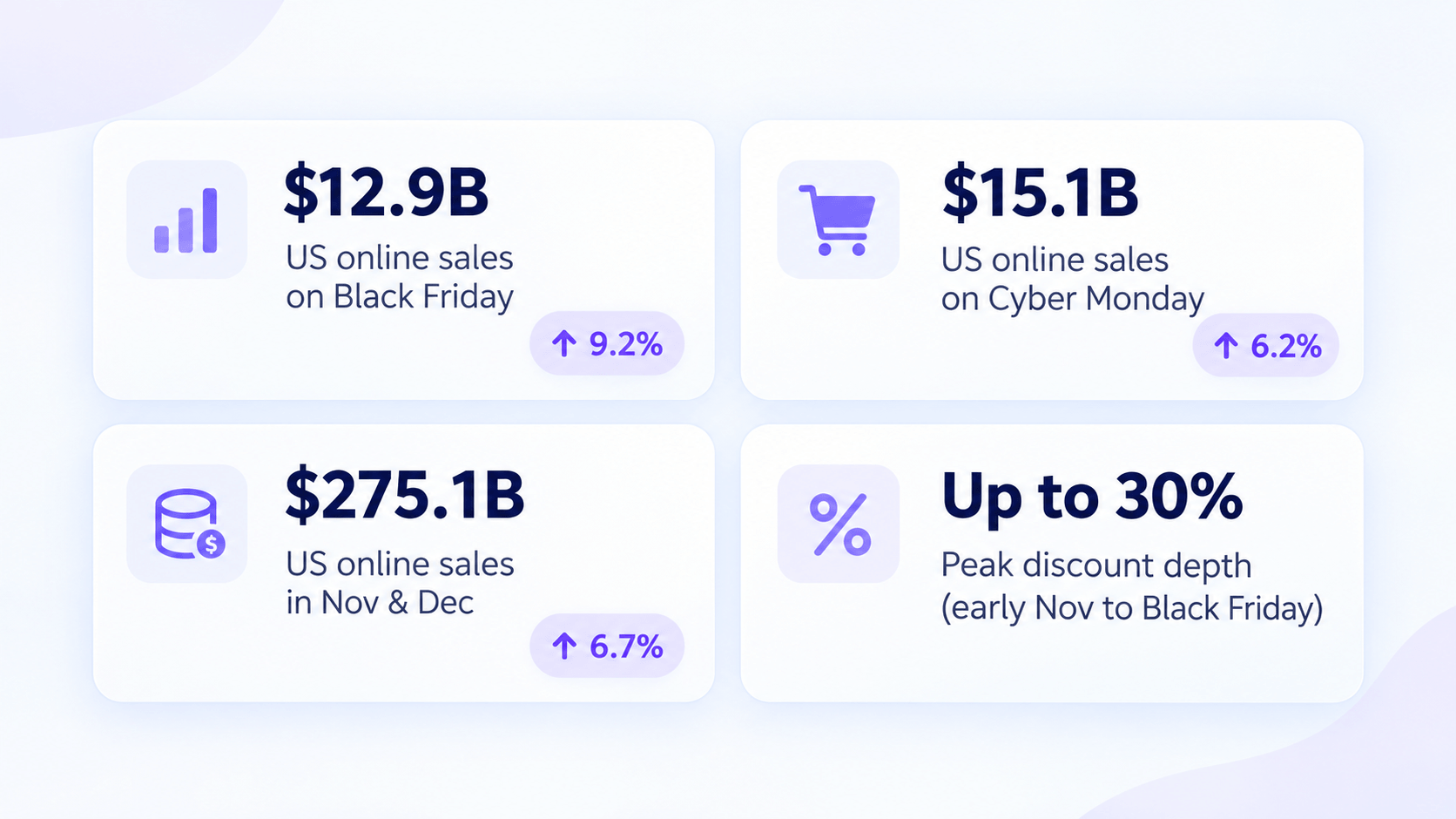
Date: Black Friday is November 27, 2026. Adobe forecasts $12.9B in US online sales (up 9.2%). Cyber Monday: $15.1B.
The leak: About 70% of carts are abandoned. Surprise costs lead at 48% (Baymard).
Timing: About 75% of shoppers research before mid-November. Roughly 40% start buying in October (Yotpo).
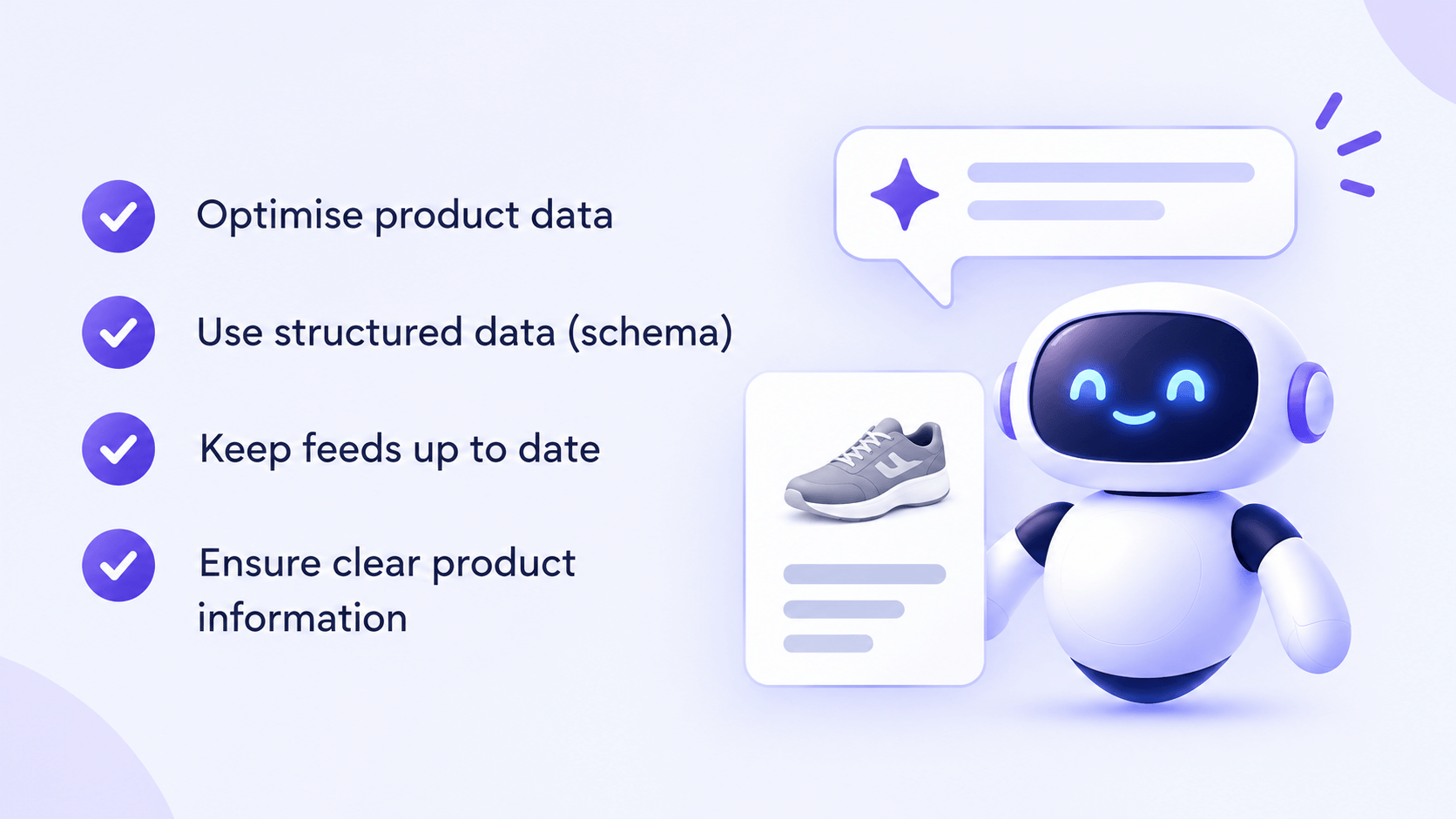
AI: Adobe expects AI traffic to US retail sites to grow 130%. Feed and schema quality decide if you show up.
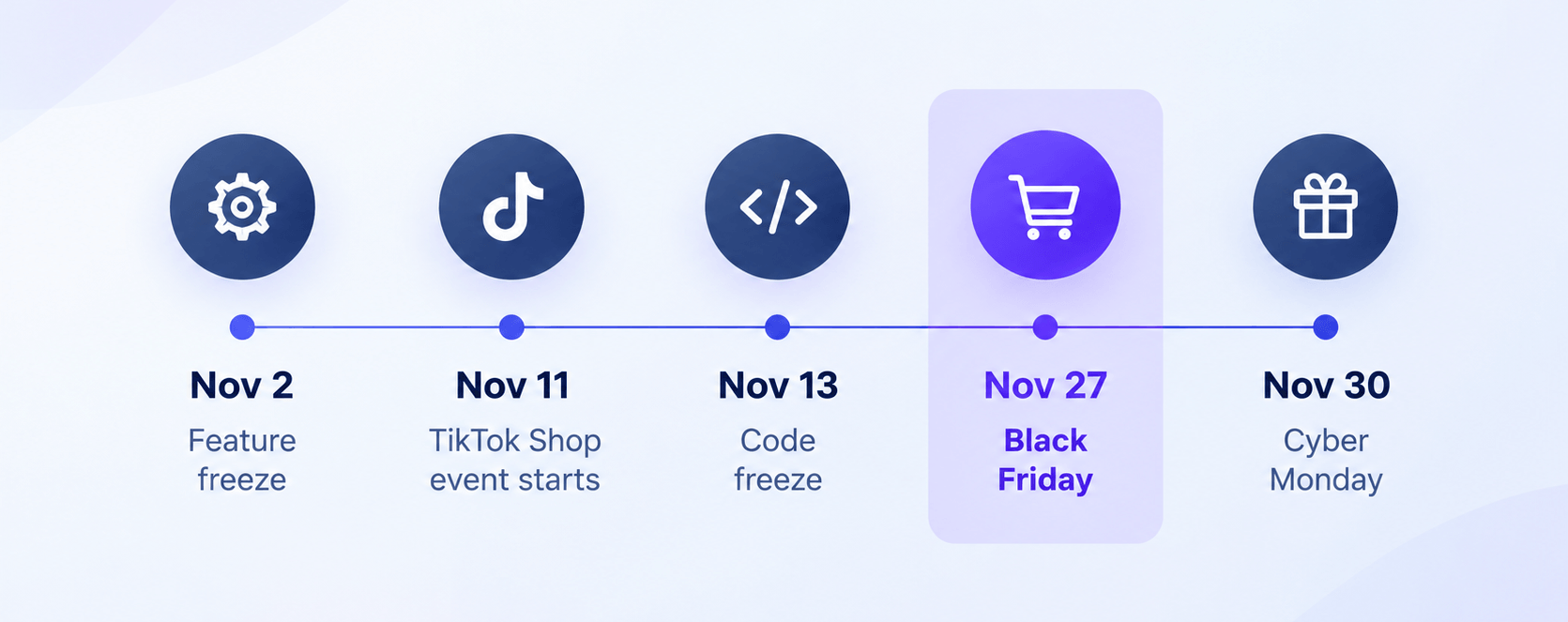
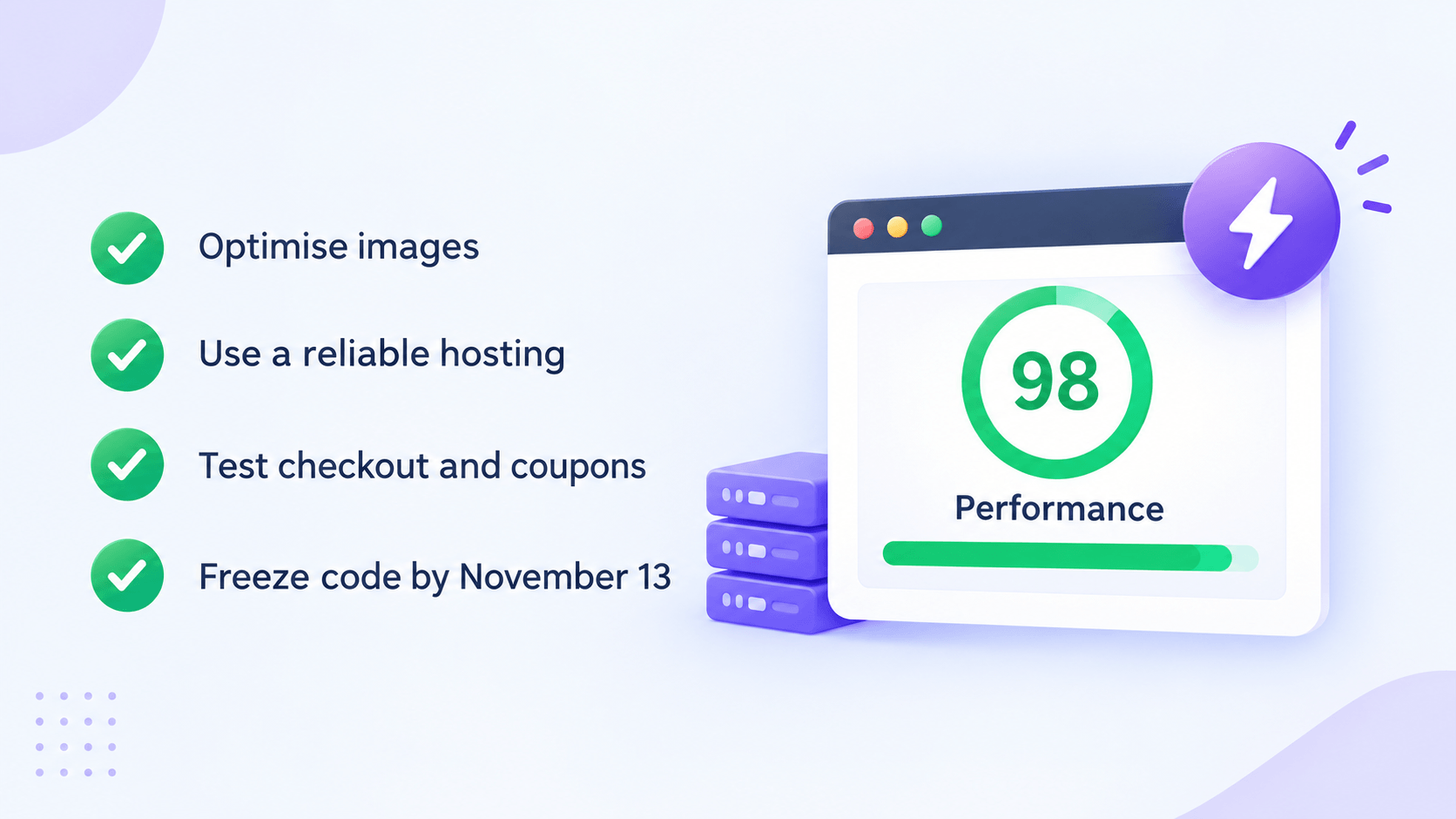
Speed: Performance topped WooCommerce’s 2025 merchant survey. Freeze code by November 13.
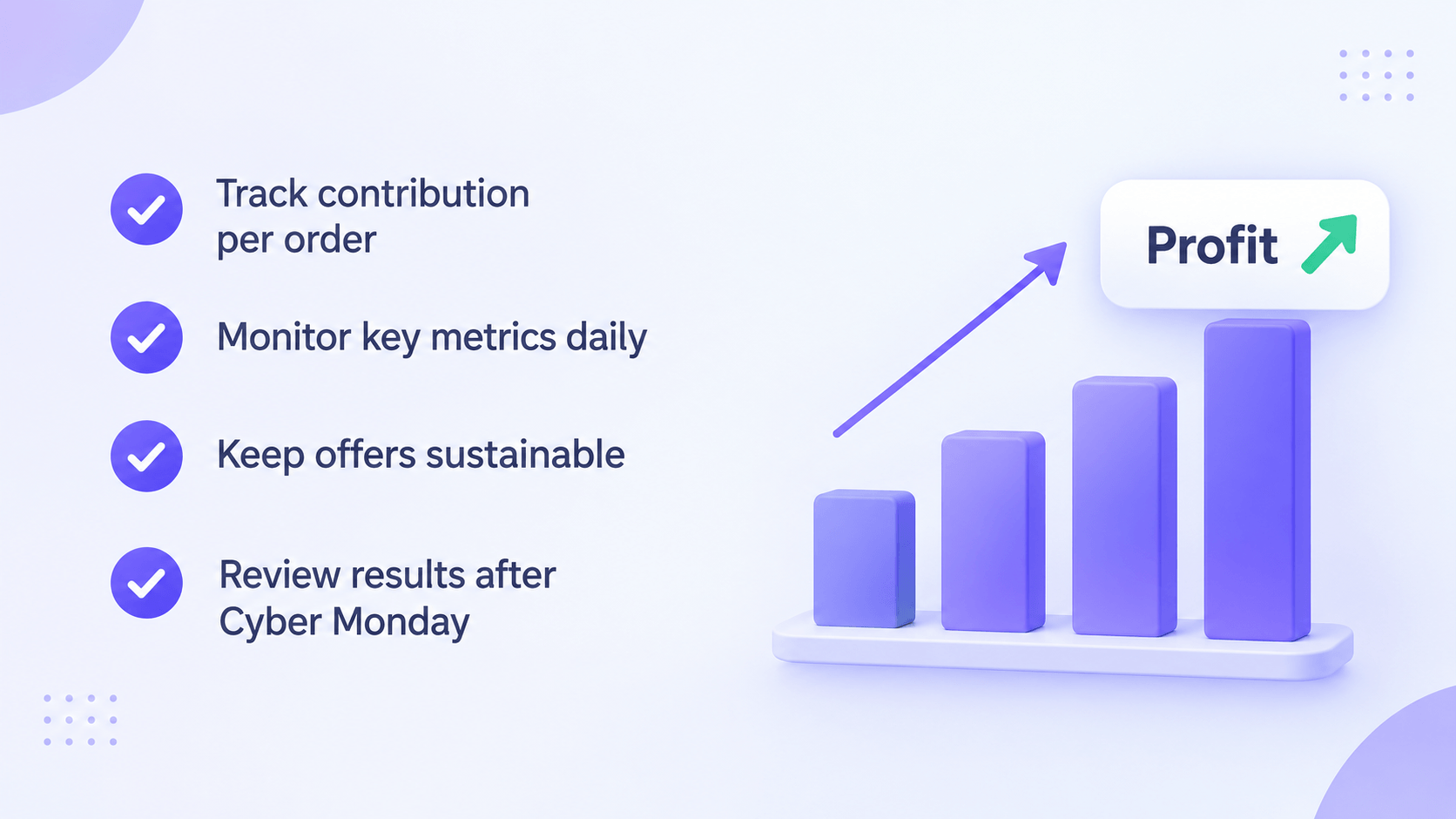
Profit: Judge the sale on contribution per order, not revenue.
Prefer to watch? Here are 10 of the fastest ways to lift Black Friday sales and win back abandoned carts. The full playbook with the numbers, the calendar and WooCommerce setup follows below.
The Black Friday 2026 calendar
Black Friday lands on November 27. Work backward from these dates.
The pattern: more shoppers, earlier, on phones, with AI tools in the middle, and discounts that look similar everywhere. Deeper cuts won’t set you apart. Easier buying will.
1. Make the store fast and stable before you touch the offer
No tip on how to increase Black Friday sales works if checkout is down.
WooCommerce’s 2025 survey (249 merchants, 12 agencies) found performance overtook inventory as the top Black Friday priority.
The trap for developers:
Your homepage can score well while checkout fails.
Freeze changes.Scandiweb suggests a feature freeze on November 2 and no major deployments after November 13. It covers plugin updates, config, tracking scripts and price rules.
Load test the buying path. Simulate your peak shoppers in cart and checkout at once.
Check CDN rules. Cart, checkout and account URLs must bypass the cache. In one StackHarbor case, a wrong CDN rule only surfaced under load.
Test your restore. Run one on staging. An untested backup is a guess.
Monitor checkout, not just uptime. Place a test order every few hours on sale days.
Complete your Merchant Center feed. Fill GTIN, brand, color, size and material where they apply.
Keep price and stock identical everywhere. Per Paz.ai, Google deprioritizes both when page markup contradicts the feed.
Watch for sale-price drift. A late feed export is a common failure. After you schedule sale prices, check the JSON-LD and the feed on the same day.
Answer questions on the page. Shipping times, returns, FAQs and reviews help AI tools recommend you.
Build the AI referral report now. Segment traffic from ChatGPT, Perplexity and Gemini domains. The report must exist before Black Friday.
Skip new checkout paths in freeze week. One third-party plugin’s docs say WooCommerce 10.7 and later ships agentic checkout behind a flag that is off by default. Check WooCommerce’s release notes and test on staging.
Watch: sessions and orders from AI referrals, Merchant Center disapprovals and feed-to-page price mismatches.
5. Match every ad to its landing page, and build a sale page
If your ad shows a jacket, link to that jacket.
Not the homepage.
Too many options make people freeze.
In the classic jam study (Iyengar and Lepper, 2000), 30% of shoppers bought from 6 flavors. Only 3% bought from 24. Later research found the effect depends on context. Treat it as a reason to test, not a law.
On the landing page
Put the same offer and price at the top.
Show exactly what the shopper clicked for.
Build a Black Friday sale page for broad traffic.
Group eligible products and show prices.
State the offer rules in one place.
Add sections like “Kitchen Deals,” “Gift Sets” and “Under $30.”
Link it from navigation, the homepage banner and every campaign message.
Use one permanent URL such as /black-friday/. Reuse it every year.
Swap out sold-out products from prominent spots.
Test store search. “Black Friday” should not return an empty page.
Watch: purchases from sale-page visits, ad-to-page bounce rate and searches with no results.
6. Use badges that state the saving, and only claim urgency you can back up
Your homepage banner announces the sale.
Shoppers often land on a category page instead.
They scan twenty products in seconds.
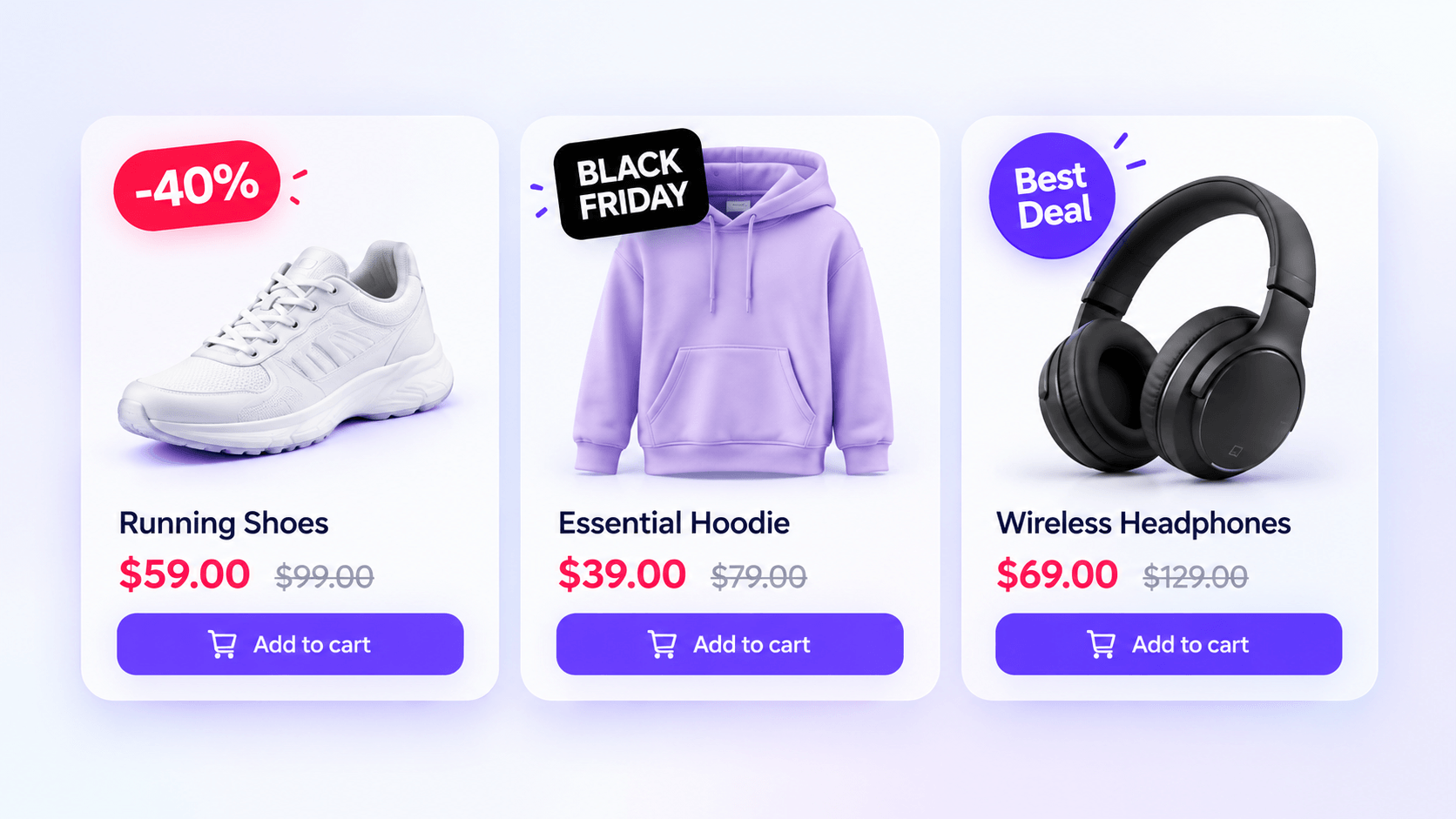
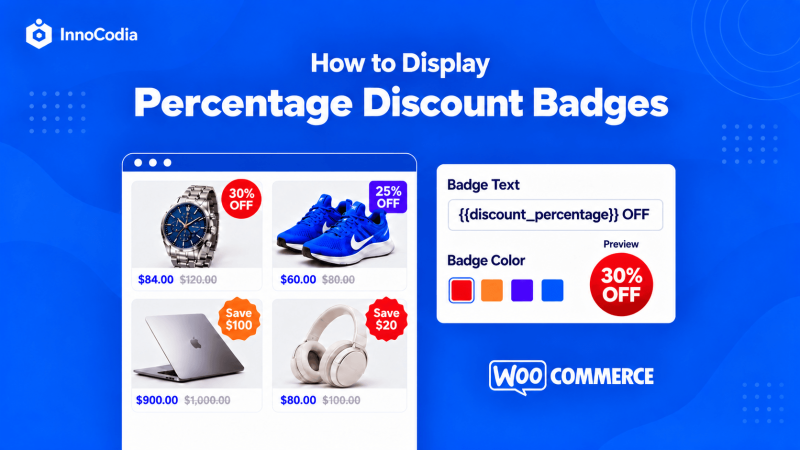
A badge on the product image makes your offer the first thing they see.
Be specific
“Save $30” beats “Sale.”
25% Off for a percentage discount
Save $40 for a money saving
Bundle Offer for products sold together
Free Gift with the conditions nearby
Use real urgency
“Ends Friday” and “Only 8 left” create FOMO. Use them only when true.
State end times with a time zone.
A countdown that restarts on refresh destroys trust.
Stock badges must match the variation. A medium jacket needs the medium count.
Apply the Rule of 100
It’s a pricing heuristic. Test it on your catalog.
Under $100: show a percentage. “20% off” sounds bigger than “$10 off.”
Over $100: show dollars. “$50 off” sounds bigger than “20% off.”
Same discount. Stronger pull. Takes minutes.
Keep badges clean on mobile
Use readable text and enough contrast.
Don’t cover the price or product details.
One clear badge beats five fighting for a corner.
Technical notes for WooCommerce
On variable products, the badge must reflect the variation shown.
If only one version has the biggest discount, don’t imply all do.
Badges must start and stop with the sale. A stale “30% Off” invites complaints.
Choose a tool with variation-level conditions and start and end dates.
Example: a scheduled Black Friday badge inBetter Badge
Rule: Category = Accessories AND on sale → show a discount badge → run Nov 25 to Dec 1.
Scheduling and basic product and category rules ship in the free plugin. Dynamic discount text and AND/OR filters are Pro. The badge starts and stops on its own.
Watch: product-card clicks and add-to-cart rate on badged products against similar unbadged ones. Test on one category if you can’t split traffic.
7. Send targeted email and SMS, not one blast
Your customers don’t all want the same products.
WooCommerce order history already tells you who bought what.
Use it.
Start with three groups
Past customers
Subscribers who haven’t bought
Shoppers interested in one category
A coffee buyer wants the bean bundle. Not your whole catalog in one long email.
A four-message sequence
Preview: what is coming and when.
Launch: the offer and where to shop.
Reminder: relevant products, or an answer to a buying question.
Final call: the real deadline.
SMS
Klaviyo’s 2024 data, via Mavlers, shows SMS revenue at about six times its usual share on Black Friday.
Use opted-in subscribers only.
Keep texts useful.
Coordinate with email so nobody gets the same reminder from every direction.
Two habits that help
If you rarely email your list, send something useful in the weeks before.
After someone buys, move them out of the sale flow. A delivery update beats an ad for what they just ordered.
Watch: revenue per recipient, unsubscribes and spam complaints.
8. Bring in qualified traffic from social and community channels
More traffic only helps when visitors care.
Show the product doing its job.
A bag brand can show whether a laptop, charger, bottle and lunch fit in its bestselling backpack. That answers a real question and gives the discount context.
Reddit. WooCommerce says merchants can now connect stores to Reddit Ads. It also claims over half of online purchase-decision conversations happen there. That is Woo’s claim. Test with a small budget.
Instagram and Facebook. Cut your demo into Reels and Stories. Reuse the same clip everywhere.
Rules for every channel
Keep the offer visible.
Link each post to the matching product or collection.
Set your ad ceiling from margin. Use the contribution math from strategy 2. A high return on ad spend can hide thin profit.
Watch: acquisition cost against what those orders contribute.
9. Put delivery, returns and answers next to the buy button
The buy button is where shoppers hesitate most.
A discount doesn’t answer “Will this fit?” or “When does it arrive?”
Hidden terms make people nervous. Nervous shoppers leave.
Add one line under the button:
“Delivered in 3 to 5 days. Free returns within 30 days.”
Only promise what you can deliver.
The data
Narvar figures, compiled by EasyApps, report an 18% conversion lift from showing delivery dates.
They report 14% from prominently showing free returns.
These are vendor-compiled numbers. Test them on your own pages.
Find the missing answers
Open your support inbox and product Q&A.
List the top three questions per bestseller.
Answer them on the page. Fit guidance for clothing. Compatibility for electronics. “Batteries included” if people keep asking.
Add reviews that speak to those questions. “Runs small” helps more than unexplained stars.
Show shipping cost early. Baymard research puts unexpected extra costs behind 48% of abandonments.
If shoppers keep asking the same thing, your product page just got its next edit.
Watch: add-to-cart rate, support tickets per 100 orders and later returns.
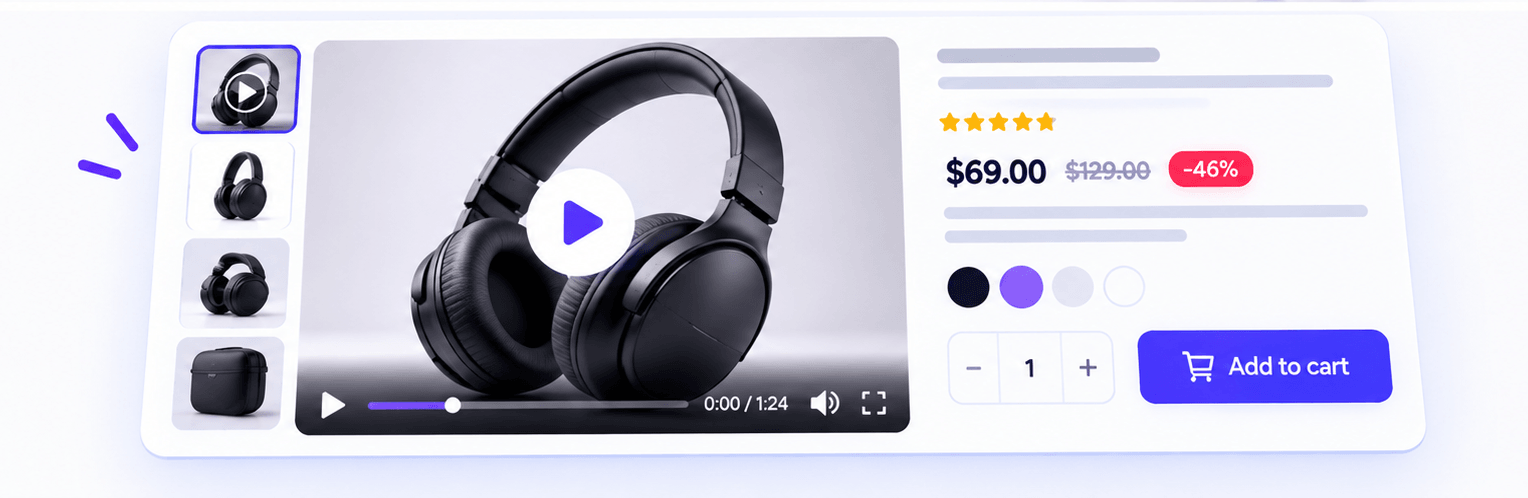
10. Add a short product video to the page
Give shoppers what a photo can’t.
A moving demo answers questions fast.
Wyzowl-based figures, via Xictron, show sites with video converting at 4.8% against 2.9% without.
That gap is a correlation. Test it yourself.
A widely cited survey finds about 85% of people say a video convinced them to buy.
How to make one that works
Keep it to about 15 seconds.
Show the most persuasive features.
Answer the questions customers ask most.
For a backpack, pack a laptop, a lunchbox and a jacket into it. Then show it worn.
Put it high on the product page. Not only on social.
Add measurements to your product images.
WooCommerce note: large self-hosted video files slow the page. Use a lightweight embed or lazy-load the player. A video that delays the buy button costs more than it earns.
Watch: conversion rate on pages with video against comparable pages without.
11. Bundle products that belong together
A bundle raises order value without extra ad spend.
It saves shoppers the effort of choosing separate items.
The products must belong together in the customer’s life. Not just in your stockroom.
Show the math. Put the bundle price beside the total of buying each item separately. A $45 starter set of items that normally cost $52 gives a ready-made gift and a clear reason to buy.
Before you launch
Calculate contribution per bundle, not just the headline saving.
Confirm stock for every component. A hundred bags of coffee can’t rescue a bundle when the last mug is gone.
In WooCommerce, check how your bundle or grouped-product plugin handles inventory. The bundle should sell out when any component does.
Give the bundle its own badge and sale-page spot.
Watch: bundle purchases, average order value and contribution per bundle.
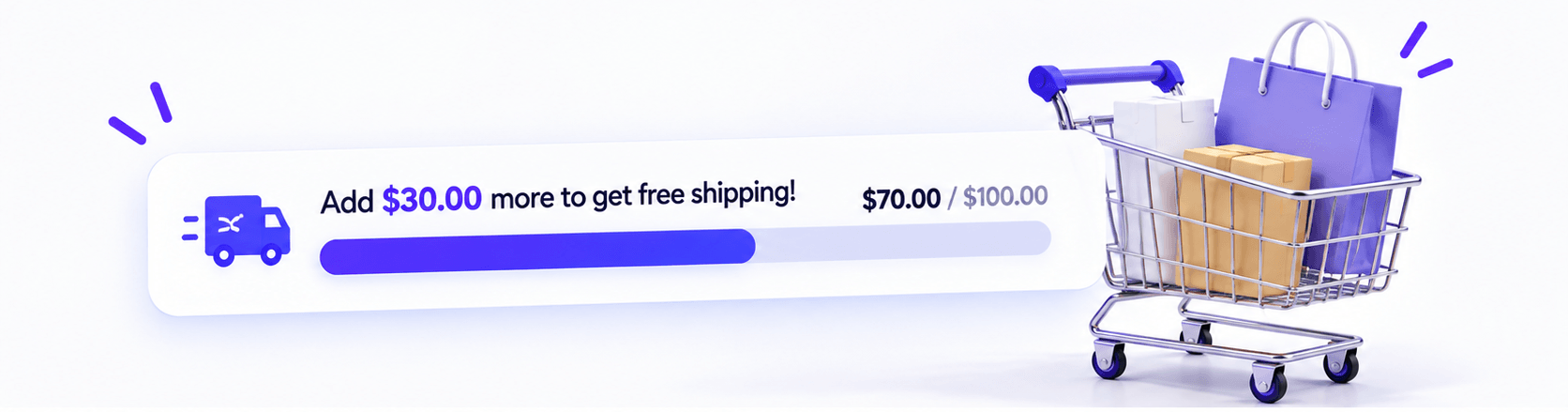
12. Show how close shoppers are to free shipping
Extra costs are the top abandonment reason.
Shoppers also want free shipping.
A FedEx and Morning Consult survey (October 2024, 2,103 respondents), as reported by Eightx, found 81% would spend more to reach a threshold.
47% would abandon if they couldn’t qualify.
Turn it into a goal
Add a cart progress bar: “You’re $12 away from free shipping.”
That is roughly 25% above AOV. It sits inside the 15 to 25% range Eightx reports.
Two sanity checks:
85% or more of orders already qualify? The bar is too low.
Few baskets within $15 of the line? It is too high.
Average free-shipping minimums by category, per Eightx:
Category
Average free-shipping minimum
Homeware
$45
Multi-category
$49
Health and beauty
$61
Fashion
$73
Electronics
$140
Free gifts work the same way. A beauty store can offer a travel-size product above a set spend, if the gift’s cost fits the promotion.
WooCommerce check: the free shipping method has a minimum order amount setting, with an option to apply it before coupon discounts. Pick the behavior you want. A reward that vanishes after a coupon is an avoidable shock.
Watch: contribution per order after the shipping subsidy or gift cost, and the share of orders that qualify.
13. Recommend one add-on that fits
Once someone picks a product, you know more about what could help them.
Use that. Once.
Upsell: a better or larger version.
Cross-sell: something that complements the purchase.
Examples:
Small coffee bag: show the larger size and its price difference.
Camera: show a compatible memory card.
About 35% of Amazon’s sales are often reported to come from recommendations. It is an old, widely repeated estimate. Use it as direction, not proof.
Rules that keep it useful
Show one item. Say why it belongs. “Compatible with your selected model” beats a row of popular accessories.
Make it easy to decline.
Tie it to strategy 12. A basket $12 short of free shipping? Offer the $12 to $15 add-on.
Keep pop-ups off the checkout button.
Watch: add-on acceptance rate, and confirm checkout completion doesn’t fall.
14. Remove surprises from checkout and add express payment
This is where most sales are lost.
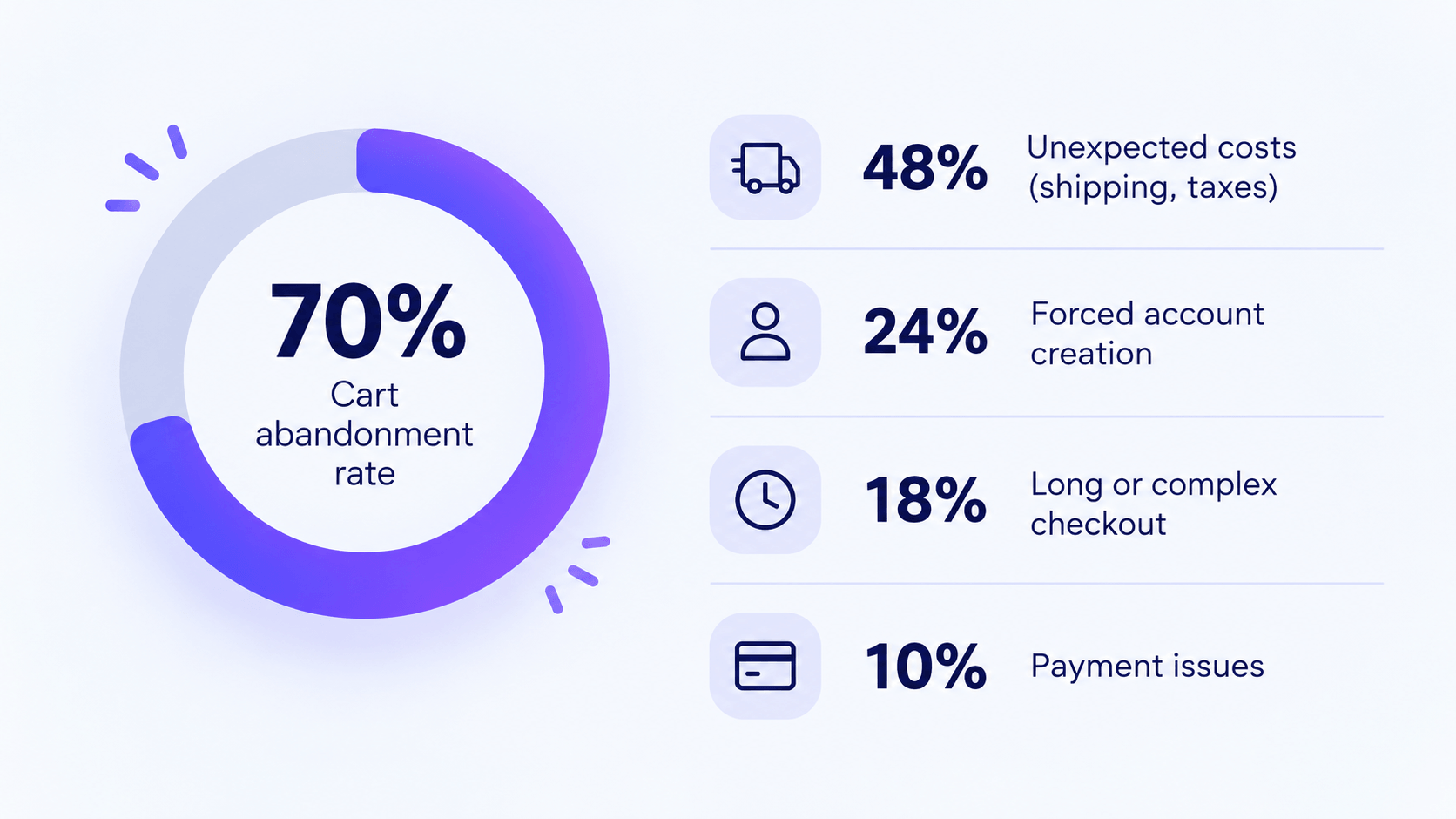
About 70% of carts are abandoned. Peak sales run higher.
SaleCycle and Barilliance figures, compiled by SearchLab, put smartphone abandonment at 76.6%. Desktop sits at 65.7%.
Baymard’s research on why people leave is clear. And fixable:
Reason shoppers abandon
Share of abandoners
Extra costs too high (shipping, tax, fees)
48%
Forced account creation
26%
Didn’t trust the site with card details
25%
Checkout too long or complicated
22%
Errors and crashes
17%
Source: Baymard Institute, as summarized by Contentsquare. Other roundups cite slightly different shares for account creation.
The fixes
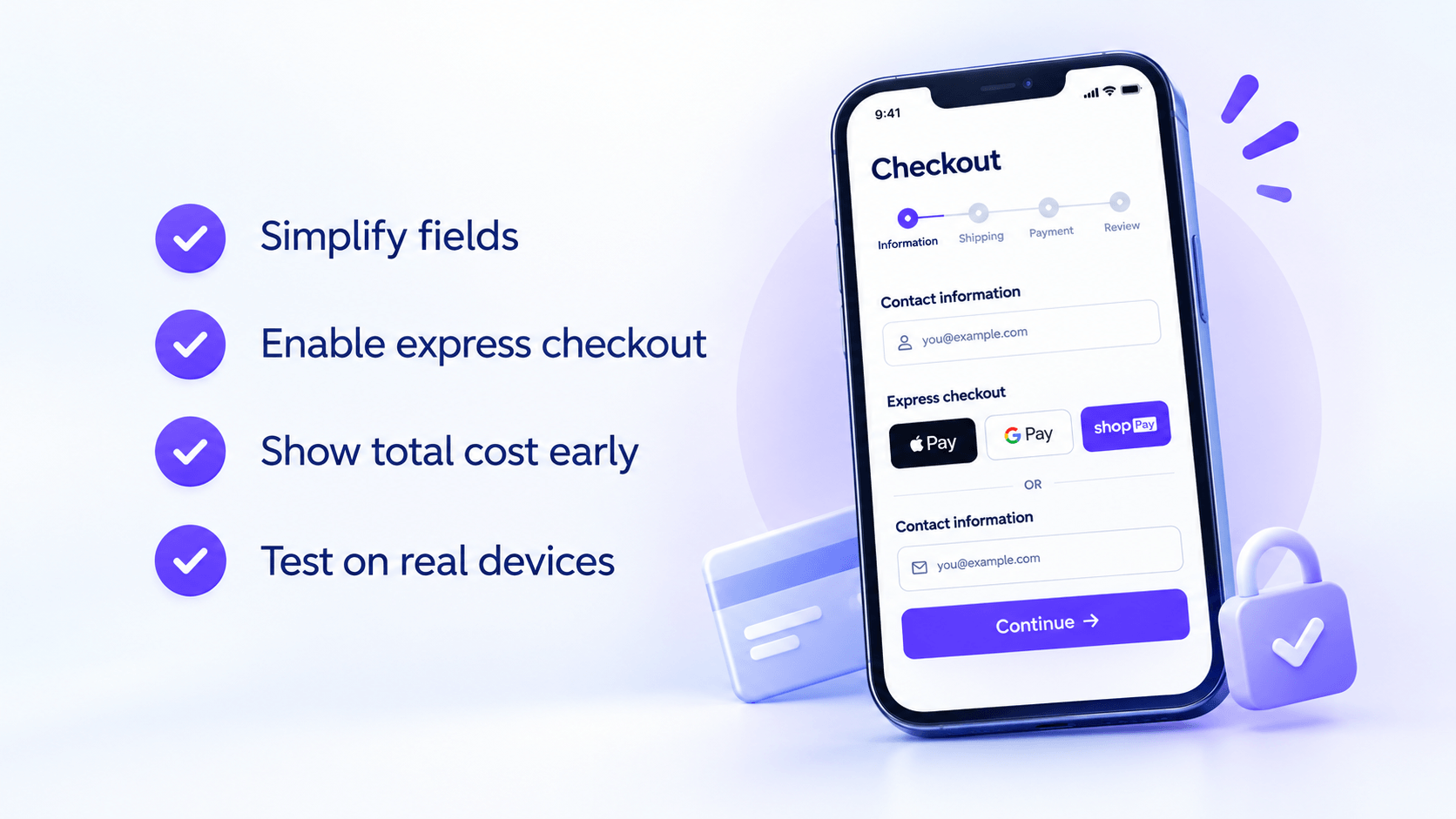
Guest checkout. Offer account creation after the order.
Show shipping and taxes early. Before the payment step.
Cut fields. Support autofill.
Offer express payment. Apple Pay, Google Pay and PayPal skip the form. Stripe A/B tests, as cited by Xictron, report a 22.3% average conversion lift for Apple Pay. About half of WooCommerce stores (49.8%) already offer express checkout, per myCRED’s summary of Woo’s survey.
Make discounts obvious. Keep error messages specific.
Developer notes
Test with your actual gateway on the block checkout and any custom checkout you run.
Custom fields such as delivery date or VAT ID? Check whether express buttons skip them. Merchants have raised this on the Stripe for WooCommerce listing.
Disable the pay button on submit. An unresponsive button causes duplicate orders.
Check that chat widgets, banners and pop-ups don’t cover “Pay Now.”
Then test on a real phone.
Change a size. Apply a coupon. Edit the cart. Return after a payment error.
Watch: mobile checkout completion, payment failures and the share of orders paid by express methods.
15. Recover carts, follow up after the order, and plan Cyber Monday
Even a perfect checkout loses some people.
With about 7 in 10 carts abandoned, recovery emails are some of the easiest sales you’ll make.
Cart reminders
Show the exact items. Add one button back to the cart.
First email: be helpful. Delivery details and a way to reach support.
Second email: add an incentive, if margin allows.
Stop the emails the moment they buy.
Never advertise expired prices.
Don’t over-credit the channel. An attributed purchase isn’t always one the email caused.
After the order
Keeping buyers costs far less than finding new customers.
Send order updates and getting-started help first.
Exclude recent buyers from ads for what they already own. Show what goes with it. A phone buyer gets a case and a screen protector.
Keep follow-ups consistent with promised prices. If you promised your best price of the weekend, don’t drop it again on Monday.
Cyber Monday
Adobe forecasts $15.1 billion, still the biggest single online day.
Black Friday is expected to bring the deepest discounts in most categories. Electronics get theirs on Monday, per RetentionEdge.
Give non-buyers a reason to return. Base it on products they viewed and stock you can ship.
Watch: recovered orders and their contribution, Cyber Monday results reported separately from Friday, and repeat purchases over the next 60 to 90 days.
Monitor the sale live: how to increase Black Friday sales when they stall
When sales run slow, a bigger discount feels like the fastest answer. Check where shoppers get stuck first.
What you see
What to check
Few relevant visitors
Campaign reach, targeting, links and traffic sources
Discount depth, ad cost, shipping subsidy, returns
Featured products selling out
Ad destinations, sale-page placement, alternatives
Fix obvious bugs fast. A broken coupon doesn’t need a week-long experiment.
For subtler changes, wait for enough volume. Three visitors prove nothing.
Track revenue, conversion rate, average order value and contribution together.
Which strategies to start with
You don’t need all fifteen. Start with the problem most likely costing you orders.
Your situation
Start with strategies
Slow or unstable store, or you manage client stores
1, 4, 14
Shoppers can’t spot your offers
5, 6
Visitors view products but don’t add to cart
6, 9, 10
Shoppers add to cart but don’t pay
12, 14, 15
Orders are small
11, 12, 13
Small audience
3, 7, 8
Thin margins
2, 12
Pick a few connected improvements, assign an owner to each, and test the whole buying journey on a phone before the freeze. A smaller plan that works beats a bigger one that breaks.
Frequently Asked Questions
How to increase Black Friday sales without deep discounts?
Use bundles, a gift with purchase, early access or a free-shipping threshold. Then fix offer visibility and checkout. Compare what each option adds with what it costs.
When should I start promoting my Black Friday sale?
Now. Black Friday is November 27, and about 75% of shoppers research before mid-November. Build an early-access list, then preview the offer.
How do I prepare a WooCommerce store for Black Friday traffic?
Load test cart and checkout, since they can’t be cached. Exclude them from CDN caching, prove your backups restore, monitor checkout and freeze changes by November 13.
What is the average cart abandonment rate on Black Friday?
About 70% year-round, per Baymard. Peak-season estimates run near 77%, and mobile is worse than desktop. Surprise costs are the top reason.
When should agencies freeze code for Black Friday 2026?
Scandiweb suggests a feature freeze on November 2 and no major deployments after November 13. Cover plugins, config, tracking scripts and price rules.
How do AI shopping tools affect Black Friday for WooCommerce stores?
Adobe expects AI traffic to US retail sites to rise 130%. These tools read your feed, schema, reviews and policies. Keep price and stock consistent everywhere.
Make the next visitor’s decision easier
Before you lower a price again, open your store on your phone. Can you spot the best offer, understand the saving and buy without getting stuck?
That ten-minute check is the fastest answer I know to how to increase Black Friday sales. Start with your bestseller: add the badge, answer the delivery question, test checkout. Then follow InnoCodia for more WooCommerce tips.
Picture two products in a WooCommerce shop. Both are discounted. One has a badge that says “Sale!” The other says “30% OFF.” Which one tells you more before you even look at the price? If a product drops from $120 to $84, the second badge answers the question immediately. In this guide, I’ll show you […]
You want more orders this Black Friday, along with happy customers, manageable workloads, and fewer last-minute surprises. There is already plenty to prepare: offers, stock, emails, banners, shipping. It is easy to spend days promoting a sale and miss something small that stops people from buying. I want to help you catch those problems before […]
Halloween brings a chance to save on the tools behind your website. Whether you want to refresh your pages, collect more enquiries, or prepare your store for seasonal promotions, October is a useful time to compare plugin offers. This roundup covers WordPress Halloween deals for design and marketing, alongside WooCommerce Halloween deals for product badges, […]




 Samia Nasreen
19 min read