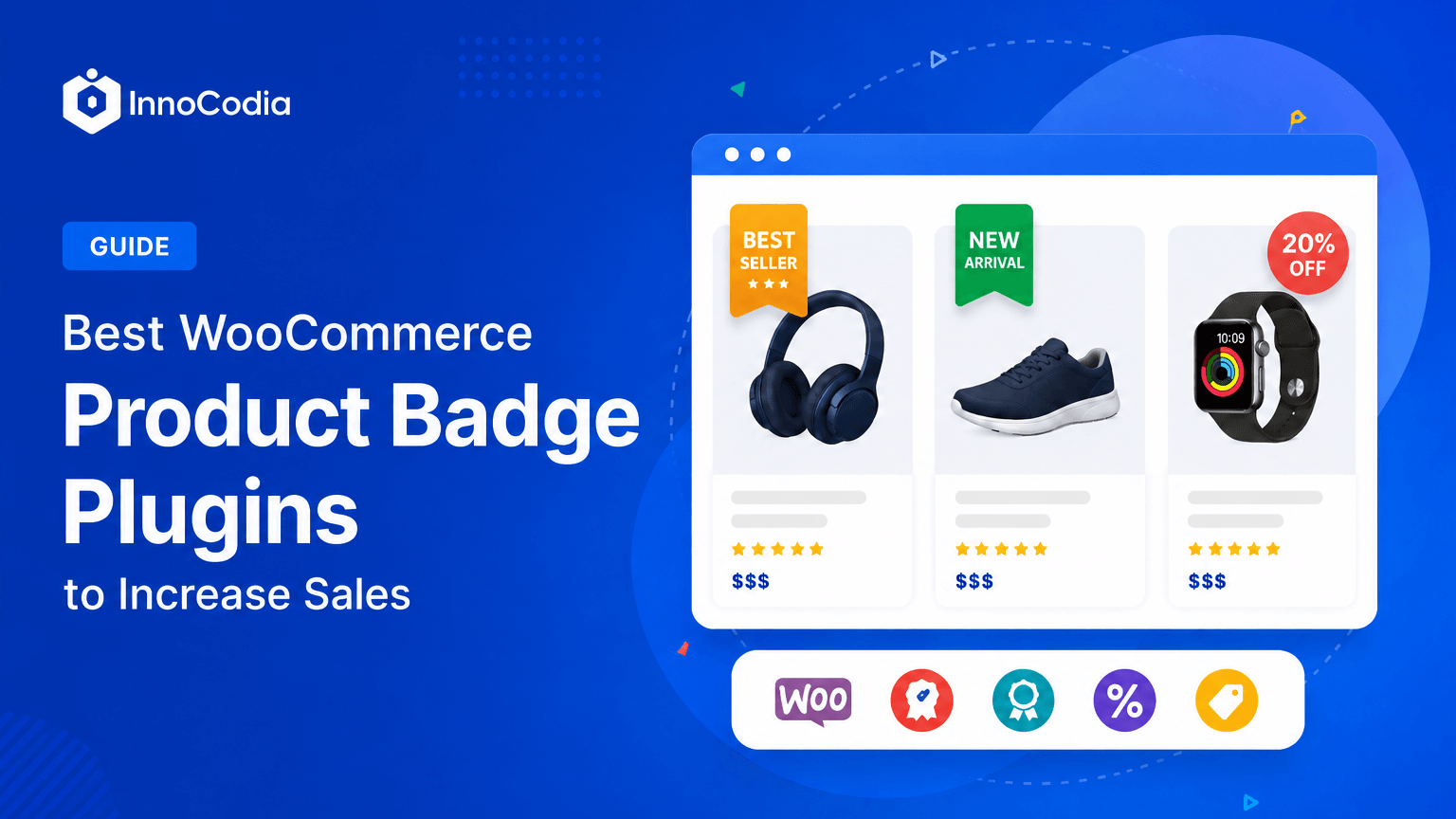
Most WooCommerce product labels plugins can add a Sale, New, or Best Seller label to a product image.
That is the easy part.
The real difference shows up when discounts change, stock drops, new products stop being new, promotions expire, or you need to manage badges across hundreds of products without updating them one by one.
I compared five leading options around the things that matter in real use: ease of use, customization, automation, dynamic product data, scheduling, compatibility, scalability, and user feedback.
Better Badge is my top pick for the best WooCommerce product labels plugin for most stores.
It combines 100+ built-in badges with an easy badge builder, scheduling, advanced product rules, dynamic placeholders, multiple badges, and deep customization without turning basic badge management into a technical project. Its current WordPress.org listing shows version 1.4.17, 500+ active installations, compatibility testing up to WordPress 7.1, and active development.
The other plugins in this comparison still have legitimate strengths.
But they make more sense in narrower situations.
Here is what I found.
Quick Answer: Which WooCommerce Product Labels Plugin Is Best?
Plugin
Where It Stands Out
Main Trade-Off
My Take
Better Badge
Design + automation + dynamic data + scheduling + ease of use
Newer than older competitors
Best overall for most WooCommerce stores
BeRocket Advanced Product Labels
Mature condition system and long install history
More configuration-heavy
Established alternative
Advanced Woo Labels
Deep conditions and third-party integrations
More specialized than many stores need
Strong specialist alternative
YITH Badge Management
Premium features and YITH integrations
Polarized WordPress.org feedback
Mainly attractive inside the YITH ecosystem
Acowebs Product Labels
Visual badge library and straightforward campaigns
Less compelling for deeper rule-driven merchandising
Better suited to simpler campaigns
My recommendation
If you want one simple rule, use this:
Start with Better Badge if you want something easy enough for your first badge but powerful enough for dynamic content, advanced targeting, and automated campaigns as your store grows.
How I Evaluated These WooCommerce Badge & Label Plugins
Disclosure: Better Badge is developed by InnoCodia, the publisher of this article. I have therefore used the same practical evaluation criteria across the plugins and included Better Badge’s main limitation as well as areas where another product has a genuine specialist advantage.
I reviewed accessible product workflows where available and cross-checked official plugin information, WordPress.org listings, documentation, changelogs, compatibility data, pricing, and public user feedback.
I did not rank plugins by simply counting features.
A feature list can look impressive and still fail to answer the real question:
Which plugin will make product badging easier and more useful on my WooCommerce store?
I focused on six areas.
1. Ease of Use
A normal workflow should feel logical:
Create → Customize → Target → Preview → Publish
A plugin with 50 options is not automatically better if creating one basic promotional badge takes longer than it should.
2. Badge Design and Customization
A badge should fit the store instead of looking pasted over the product image.
I looked for useful control over:
Text
Typography
Colors
Shapes
Size
Padding
Borders
Position
Rotation
Images
Effects
Animations
Custom HTML or CSS when needed
Ready-made designs matter too.
Not every store owner wants to design a Black Friday, Free Shipping, or New Arrival badge from scratch.
3. Product Rules and Automation
Manually assigning badges works on ten products.
It becomes painful on 500.
A stronger badge plugin should be able to work with conditions such as:
Product
Category
Tag
Sale status
Stock
Price
Product age
Attributes
Rating
SKU
Date and time
Other WooCommerce product data
4. Dynamic Product Data
Compare these two badges:
SALE
and:
35% OFF
The second gives the shopper more useful information.
More importantly, a dynamic badge can use WooCommerce data rather than forcing you to rewrite badge text every time the product changes.
5. Scheduling
A Black Friday badge should not depend on somebody remembering to log into WordPress when a promotion starts or ends.
Scheduling becomes useful for:
Flash sales
Black Friday
Cyber Monday
Eid
Diwali
Christmas
Weekend promotions
Product launches
Limited-time offers
6. Long-Term Fit
Your requirement today might be:
Add a red Sale badge.
Six months later it may become:
Show a Low Stock badge only when products in this category reach a specific inventory condition.
Or:
Display the actual discount percentage and automatically remove the badge when the promotion ends.
I prefer a plugin that can grow into those workflows without forcing the store to rebuild its badge system later.
One more note on terminology: these plugins add a small visual marker to a product image, things like Sale, New, or a discount percentage, and different plugins call it different things. Some use badge. Some use label. I use both terms throughout since they describe the same feature.
Which Product Label Features Actually Matter for Your Store?
This is the part I think most badge-plugin comparisons miss.
Not every store needs the same feature set.
Your Store Situation
What Matters Most
Why
Small catalog
Ease of use + customization
Manual targeting is still manageable
100+ products
Automated product rules
Product-by-product badge management stops scaling
Frequent discounts
Dynamic product data
Badge values can follow the actual discount
Seasonal promotions
Scheduling
Campaign badges can activate and expire automatically
Variable products
Variation-level controls
Different variations may need different messages
International store
Multi-currency compatibility
Price-based badge data needs to stay accurate
Complex WooCommerce setup
Compatibility + integrations
Badges must work with the rest of your stack
Growing store
Advanced filters
Basic targeting may become restrictive later
A five-product store does not need the deepest rules engine on the market.
But a growing store should not choose something that becomes limiting the moment automation starts to matter.
That balance is where Better Badge becomes particularly strong.
Best WooCommerce Product Badges and Labels Plugins
Not all WooCommerce product badge plugins give you the same control. Some keep it simple, while others let you automate badges based on products, stock, prices, and campaigns. Here are the ones worth knowing, starting with our top pick.
1. Better Badge: Best Overall WooCommerce Product Labels Plugin
Better Badge: Best Overall WooCommerce Product Badge Plugin
Best for: WooCommerce stores that want strong customization and automation without a complicated workflow
Free version: Yes
Pro starts at: $49/year
Main strength: Powerful merchandising features without unnecessary complexity
Main limitation: Shorter public track record than older competitors
Better Badge gets my #1 position because it solves one of the biggest compromises I found in this category.
Some plugins are easy when all you need is a simple badge but become restrictive when you want advanced targeting.
Others offer deep rule systems but make relatively normal badge campaigns more technical than they need to be.
Better Badge sits between those two extremes.
I can create a straightforward badge quickly.
If the store grows, I can move into dynamic product data, advanced filters, AND/OR logic, scheduled campaigns, variation targeting, custom badge formats, multiple badges, and other advanced workflows without replacing the plugin.
That is the combination I think fits the broadest group of WooCommerce stores.
Start With 100+ Built-In Badges
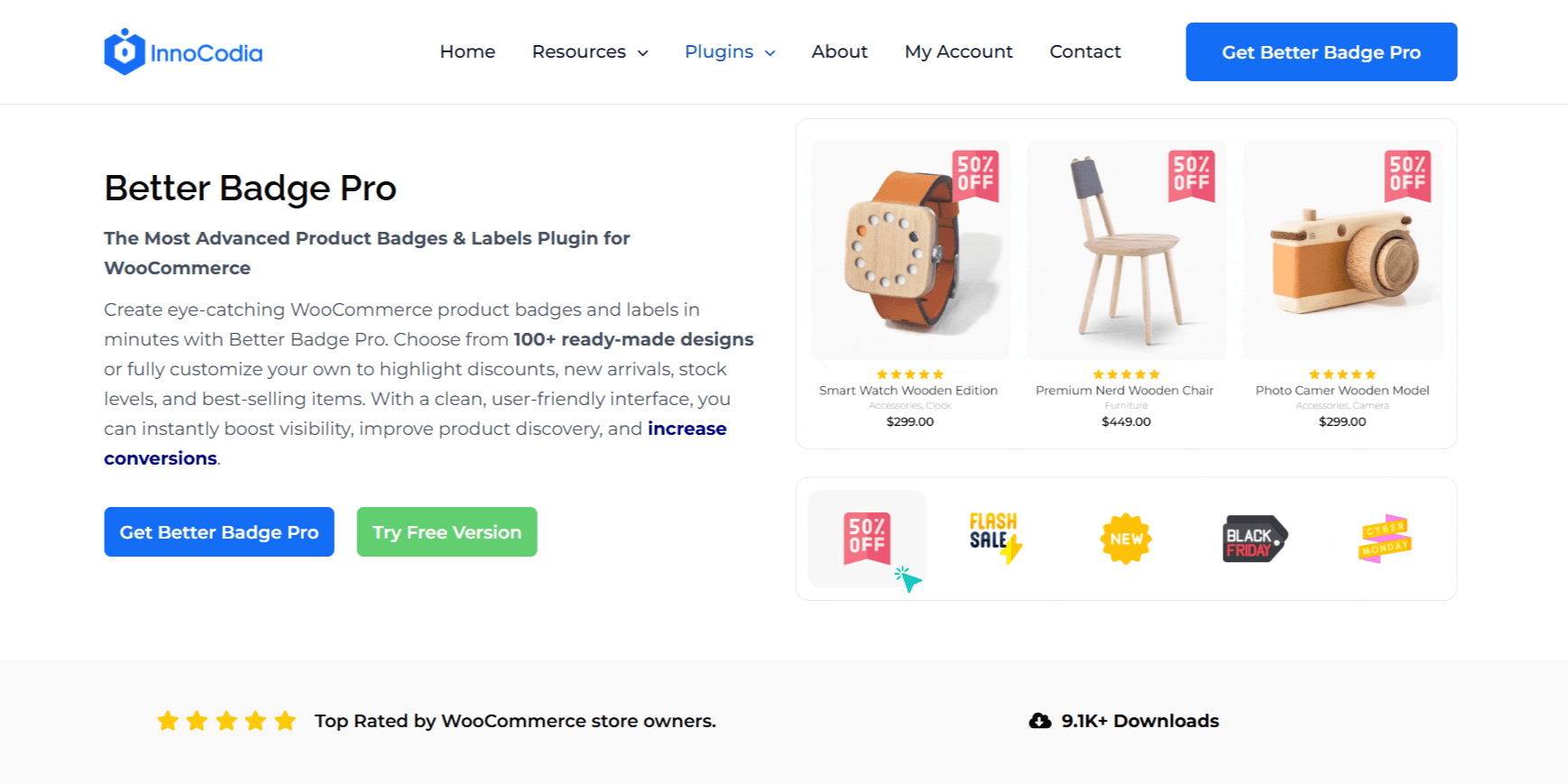
Better Badge currently includes 100+ built-in product badges, covering common ecommerce use cases such as:
Sale
Best Seller
New Arrival
Limited Stock
Free Shipping
Discount promotions
Seasonal campaigns
Urgency messages
This changes the starting point.
Instead of asking:
How should I design this badge?
I can start with:
What message should shoppers notice?
Pick something close.
Customize it.
Publish it.
For most store owners, that is the faster workflow.
Customize the Badge Without Being Locked Into the Template
Templates are useful.
Being trapped by one is not.
Better Badge provides control over elements such as:
Badge text
Colors
Dimensions
Borders
Padding and margins
Position
Rotation
Shapes
Gradients
Images
More advanced options include custom image uploads, animations, HTML badges, advanced CSS, and other Pro customization features.
That means the same plugin works for two very different use cases.
I can create a normal promotional badge without touching code.
Or I can build something much more custom when the brand requires it.
Dynamic Placeholders Solve a Real Maintenance Problem
This is where Better Badge starts becoming much more useful than a simple label designer.
Better Badge supports dynamic placeholders for WooCommerce product information such as:
Discount percentage
Discount value
Regular price
Sale price
Category
Tag
Brand
Tax-related pricing values
Suppose I have three products on sale:
Product A: 15% OFF
Product B: 25% OFF
Product C: 40% OFF
I do not want to create and maintain three separate badge messages if WooCommerce already knows those discounts.
A dynamic badge can use the product data.
The design stays consistent.
The value changes with the product.
That difference becomes much more valuable as the catalog grows.
Advanced Filters Turn Badge Management Into Rules
Better Badge Pro also supports advanced product filters.
This is where the workflow changes from:
Which individual products need this badge?
to:
What makes a product qualify for this badge?
For example:
Category = Shoes AND product is on sale → Show Special Offer
Or:
Stock reaches selected condition → Show Low Stock
Or:
Selected attribute + selected price condition → Show targeted badge
Better Badge’s current feature set also includes product, category, tag, price, attribute, stock, date, tax, shipping, and other advanced filtering options.
This is much more scalable than repeatedly assigning badges product by product.
Scheduling Makes Seasonal Campaigns Easier to Manage
Better Badge supports badge scheduling and validity controls.
That makes it useful for:
Black Friday
Cyber Monday
Eid
Christmas
Flash sales
Weekend campaigns
Product launches
The workflow becomes:
Prepare → Schedule → Launch → Expire
instead of:
Prepare → Launch → Remember → Log in again → Remove
It is not the flashiest feature.
It is one of the most practical.
Multiple Badges Give You More Merchandising Flexibility
Better Badge supports multiple badges on the same product.
For example:
25% OFF
plus:
Only 3 Left
Or:
New Arrival
plus:
Free Shipping
I would use this carefully.
The goal is not to cover every product image with as many labels as possible.
One strong message is usually better than four weak ones.
Use multiple badges when both pieces of information genuinely help the shopper.
Better Badge Also Covers More Advanced Stores
As the store gets more sophisticated, Better Badge Pro includes capabilities around:
Variation badges
Advanced product filtering
Attribute-based labels
Stock quantity rules
Multi-currency compatibility
Pricing and discount-plugin integrations
Dynamic placeholders
Custom HTML/CSS badges
Advanced styling
That gives the plugin a longer runway.
I do not have to replace a simple badge plugin once the merchandising requirements become more advanced.
Compatibility Is Documented
WooCommerce stores rarely run WooCommerce alone.
Themes, page builders, multilingual plugins, memberships, subscriptions, product grids, and other extensions can all affect how badges appear.
Better Badge currently documents testing with 25+ themes and 30+ plugins, including popular setups involving Astra, Divi, Flatsome, Kadence, WoodMart, Elementor, Gutenberg, Bricks, WPML, Polylang, WooCommerce Subscriptions, WC Vendors, and others.
No plugin can realistically guarantee compatibility with every custom WooCommerce setup.
I prefer documented testing over a generic “works everywhere” claim.
Better Badge Is Being Developed Actively
Better Badge first launched in December 2024.
As of August 23, 2026, WordPress.org lists:
Version 1.4.17
500+ active installations
Tested up to WordPress 7.1
A very recent compatibility update
5/5 average rating from 8 reviews
The install count is still modest compared with older competitors.
The development pace is the more interesting signal.
Its changelog shows regular work around:
Compatibility
Badge positioning
Ajax product loops
Dynamic placeholders
Product filtering
UI improvements
Performance
Templates
Builders
WordPress and WooCommerce updates
For a WooCommerce plugin, active maintenance matters.
What Real Better Badge Users Say
The public review sample is still small, so I would not compare eight reviews directly with a competitor that has hundreds.
But the feedback pattern is encouraging.
Users mention:
Easy setup
User-friendly controls
Helpful support
Useful badge options
Compatibility help
One review is particularly useful because it started as criticism.
A user complained about dashboard promotional notices. The developer addressed the issue, and the reviewer later updated the feedback after additional testing, saying the plugin appeared to work very well across multiple sites, including one with more than 20,000 products.
I find that more useful than pretending no user has ever complained.
Issues happen.
How the developer responds matters too.
Better Badge’s Main Limitation
Better Badge is newer than BeRocket and Advanced Woo Labels.
It does not yet have the same public install history.
That is the main trade-off.
If years of marketplace history are your number-one buying criterion, an older product has the advantage.
I do not think that should be the only criterion.
For me, the more useful question is:
Which plugin gives me the strongest combination of usability, design, automation, dynamic product data, and room to grow today?
On that question, Better Badge comes out ahead.
Better Badge Is a Strong Fit If You Want
An approachable setup
100+ built-in badges
Strong customization
Dynamic WooCommerce product data
Advanced product filters
AND/OR logic
Scheduled campaigns
Multiple badges
Stock and product conditions
Variation-level controls
Multi-currency compatibility
A useful Free-to-Pro path
Room to grow without replacing the plugin
When Better Badge May Not Be the Right Fit
I would look more closely at another option if my main requirement were a highly specialized third-party integration that another product already supports more deeply, or if a long public install history mattered more to me than the current product experience.
For most WooCommerce stores, neither would outweigh Better Badge’s broader balance.
My Verdict on Better Badge
Better Badge is the strongest all-round option in this comparison.
Other WooCommerce Product Label Plugins Worth Considering
The next four plugins are legitimate alternatives.
But I would think of them as special-case alternatives, not four equal winners.
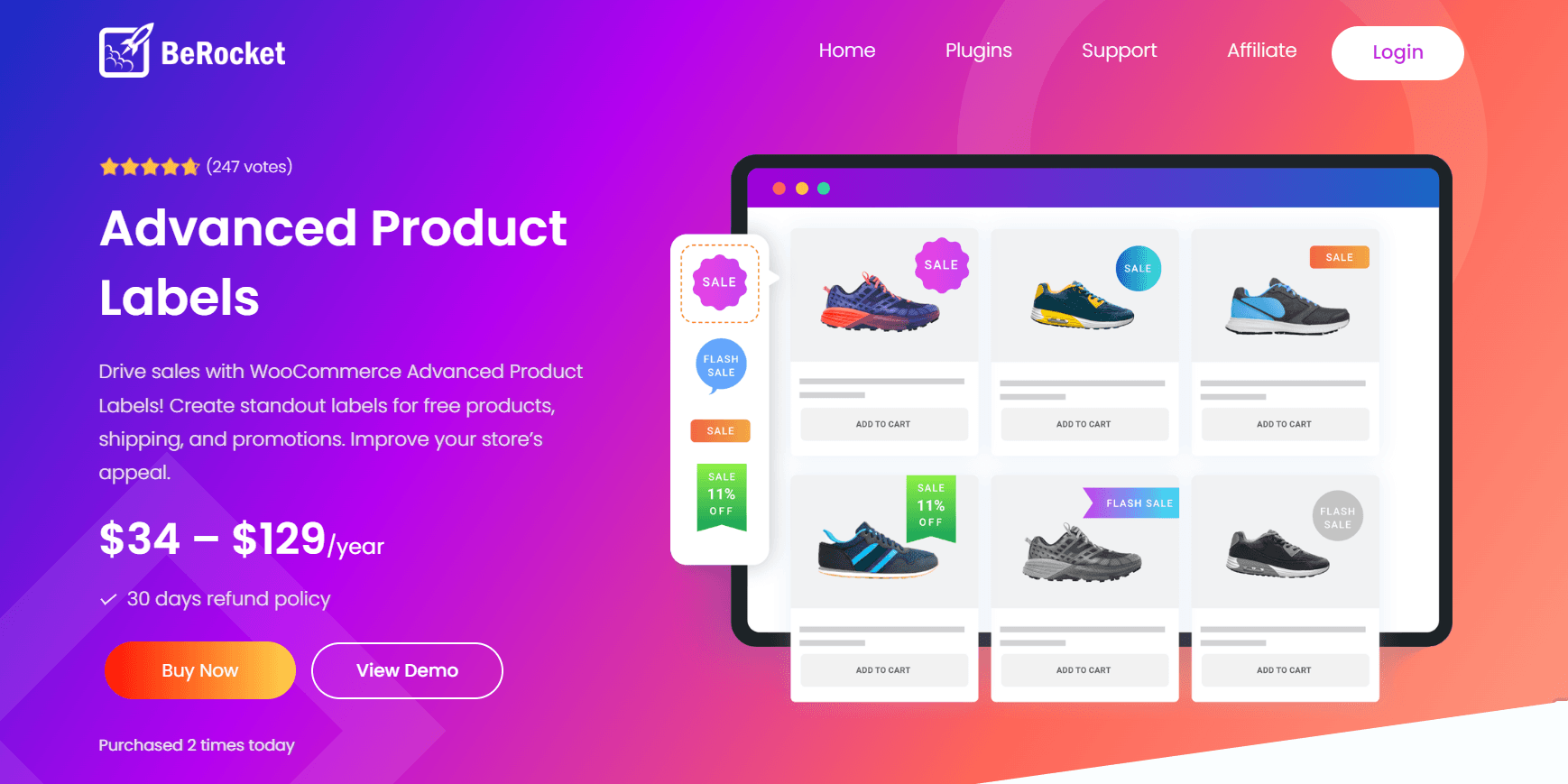
2. BeRocket Advanced Product Labels: Established, but More Configuration-Heavy
BeRocket is one of the most established product-label plugins in this category.
Its biggest strength is maturity.
It currently offers 50+ premium templates along with detailed product conditions, dynamic label content, discount percentages, stock status, attributes, AND/OR rules, tooltips, and additional styling controls. Premium pricing currently starts at $34/year.
That is a capable system.
The trade-off is the workflow.
BeRocket is more configuration-heavy. Even positive user feedback notes that precise setup matters, and its detailed condition system naturally introduces more settings to work through.
Its recent changelog also includes fixes for variation behavior, PHP errors, styling conflicts, and other edge cases. That is normal for a mature WordPress plugin, but it reinforces the difference between an established, settings-heavy system and a more streamlined workflow.
When BeRocket May Make Sense
If I already use BeRocket successfully, or if a long public plugin history is a major requirement, there is a reasonable case for it.
Why I Would Start With Better Badge Instead
For a fresh installation, I prefer the path Better Badge gives me:
simple badge → dynamic badge → advanced rules
without making the first step feel as configuration-heavy.
BeRocket’s advantage is maturity. Better Badge’s advantage is the overall experience I would rather manage day to day.
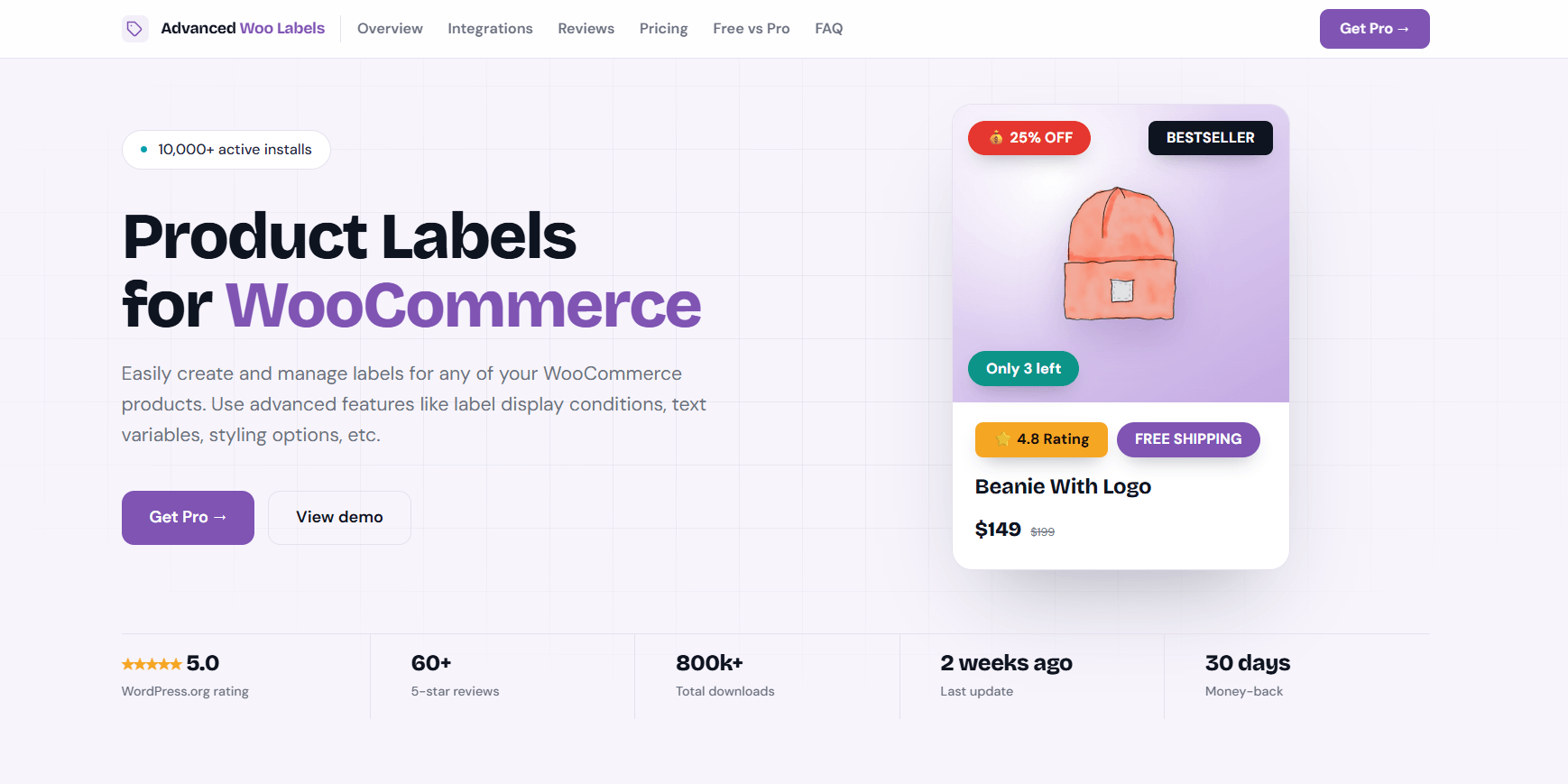
3. Advanced Woo Labels: Powerful, but More Specialized Than Most Stores Need
Advanced Woo Labels is the strongest specialist competitor in this comparison.
Its public review profile is excellent: its current WordPress.org page shows 64 reviews, all five-star.
So I am not going to manufacture a weakness that is not there.
Its real strength is technical depth.
Advanced Woo Labels supports advanced conditions, dynamic text variables, AND/OR logic, and a broad integration ecosystem.
That makes it especially interesting for:
Complex page-builder setups
Multilingual stores
Marketplaces
Custom-field-heavy stores
Stores with unusual third-party integrations
The important question is whether you actually need that depth.
Most WooCommerce stores do not need their badge plugin to become an integration hub.
They need to create useful badges, automate common merchandising rules, schedule promotions, and keep the everyday workflow manageable.
When Advanced Woo Labels May Make Sense
I would look closely at it if a specific integration or unusually complex conditional workflow were central to my store.
Why I Would Start With Better Badge Instead
For a typical WooCommerce store, I would not choose additional specialization simply because it exists.
Better Badge already covers the advanced merchandising functions I expect most stores to need while keeping the product more focused on everyday badge creation and automation.
Advanced Woo Labels is a strong specialist. Better Badge is the stronger default choice.
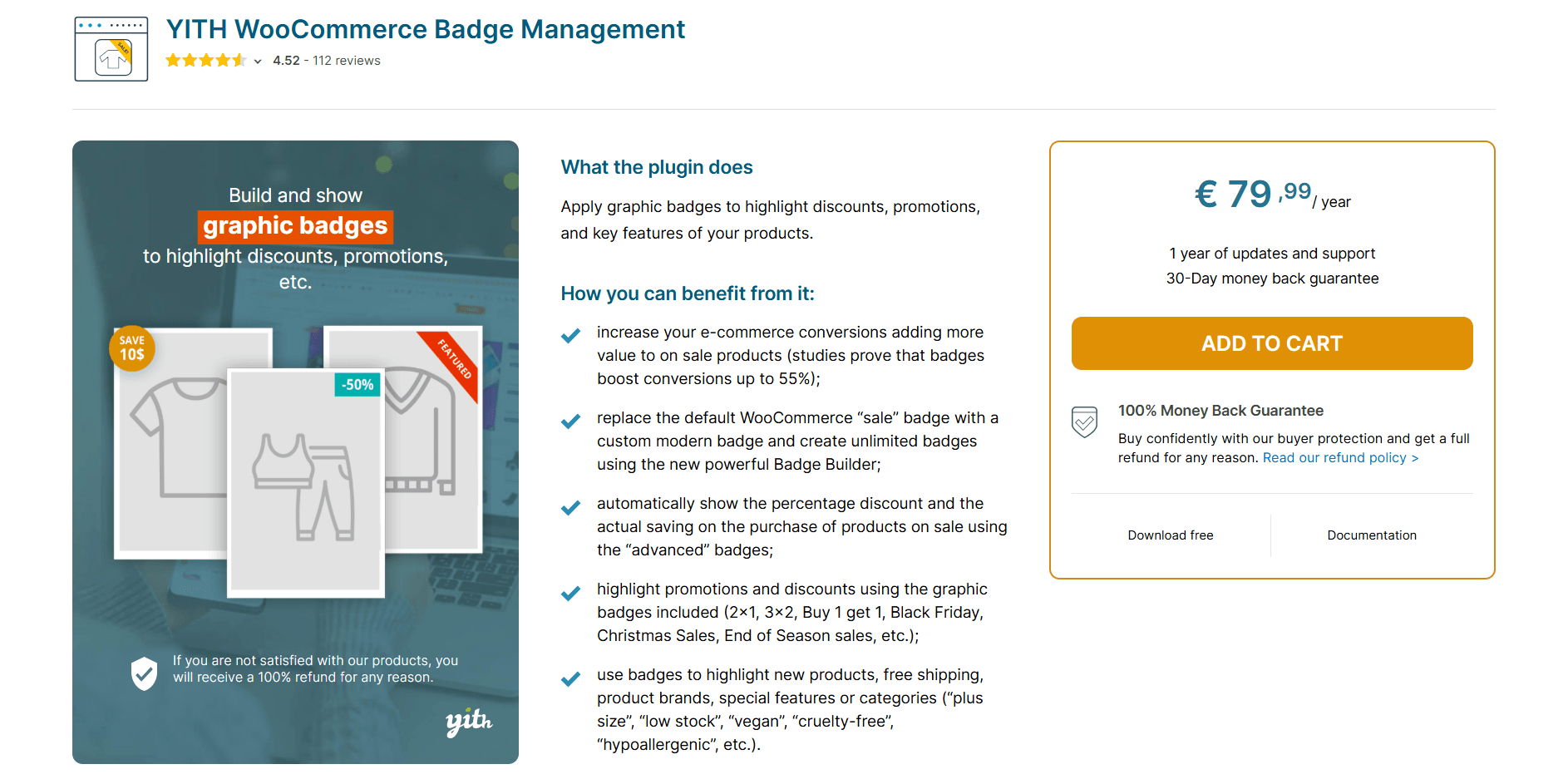
4. YITH WooCommerce Badge Management: Strong Premium Features, but Harder to Recommend Outside YITH
If I already use YITH Dynamic Pricing, Membership, Multi Vendor, or several other YITH products, that ecosystem connection is its strongest reason to consider it.
Outside that situation, the decision becomes harder.
Its current WordPress.org review profile is unusually polarized:
93 reviews
2.9/5 average rating
41 one-star ratings
38 five-star ratings
Public complaints include Elementor Loop compatibility problems, badges not working in some configurations, free-version limitations, and other display or compatibility issues.
To be fair, YITH is actively maintaining the plugin and its commercial version supports current WooCommerce releases.
I would not call it outdated.
I would simply test carefully before committing.
When YITH May Make Sense
If the store already depends heavily on the YITH ecosystem, integration convenience may outweigh the concerns.
Why I Would Start With Better Badge Instead
Without that ecosystem requirement, Better Badge gives me a more focused badge product, a cleaner current WordPress.org review profile, dynamic product data, scheduling, advanced filtering, and a simpler standalone buying decision.
YITH’s strongest argument is the YITH ecosystem. Better Badge’s strongest argument is the badge product itself.
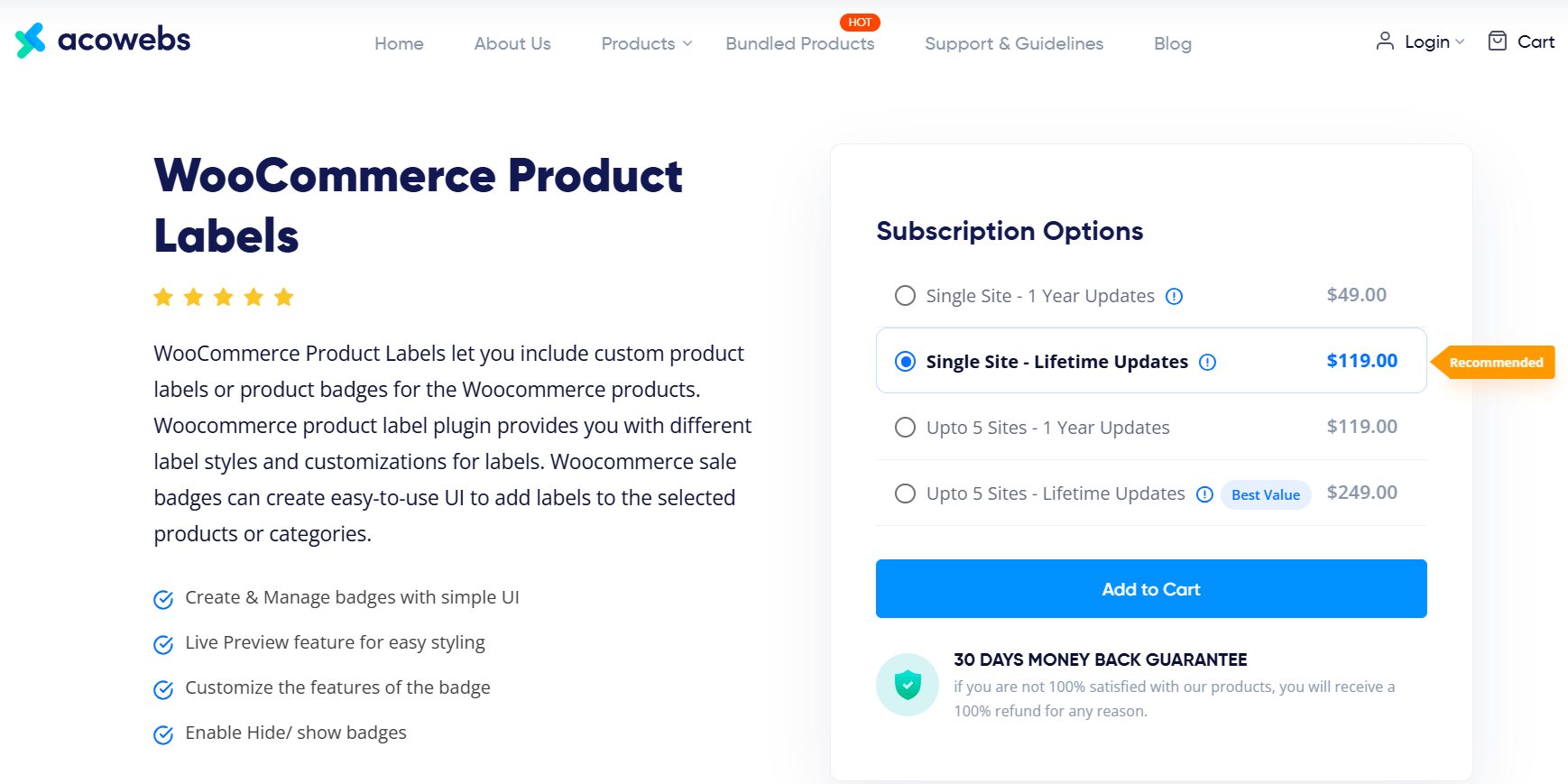
5. Acowebs Product Labels: Better for Simpler Visual Campaigns Than Advanced Merchandising
Acowebs Product Labels is an established option with 10,000+ active installations, and its current WordPress.org version supports recent WordPress and WooCommerce releases.
Its appeal is straightforward.
It focuses heavily on visual product labels, promotional designs, sale messaging, and easier badge workflows.
For a store that mainly needs:
Sale
Out of Stock
Discount
or:
Seasonal promotion
that may be enough.
The difference becomes more noticeable when badge management needs to become more rule-driven.
Better Badge puts greater emphasis on dynamic placeholders, advanced filtering, AND/OR combinations, variation controls, multi-currency compatibility, and broader product-data-based automation.
When Acowebs May Make Sense
If my requirements are primarily visual and relatively simple, Acowebs is a reasonable alternative.
Why I Would Start With Better Badge Instead
Once I already have enough badge designs, I care more about what happens behind the visual:
Can the badge update with the product?
Can products qualify automatically?
Can I build more advanced conditions?
Can the same badge system grow with the store?
That is where Better Badge becomes the stronger long-term choice.
Which WooCommerce Product Labels Plugin Should You Choose?
This is the decision framework I would actually use.
What Matters Most
My Recommendation
Why
Best overall product badge plugin
Better Badge
Best balance of usability, design, automation, and advanced rules
Easy setup without becoming limited later
Better Badge
Straightforward workflow with deeper features available
Dynamic WooCommerce badge data
Better Badge
Dynamic placeholders + product rules
Advanced product targeting
Better Badge
AND/OR filters + stock, price, category, attribute, and other conditions
Seasonal automation
Better Badge
Scheduling + product targeting
Ready-made badges + customization
Better Badge
100+ built-in badges with extensive styling controls
Growing WooCommerce store
Better Badge
Strong feature runway without changing badge systems
Long public plugin history above everything else
BeRocket
Mature plugin and established market presence
Highly specialized integration requirements
Advanced Woo Labels
Strong specialist ecosystem
Store already heavily invested in YITH
YITH
Ecosystem integration
Straightforward visual campaigns
Acowebs
Simpler visual-label focus
This is why Better Badge finishes first.
It does not have to beat every competitor at the one category that competitor specializes in.
BeRocket has more history.
Advanced Woo Labels has specialist integration depth.
YITH has its ecosystem.
Acowebs has a straightforward visual approach.
But Better Badge wins more of the requirements that matter together for the average WooCommerce store.
That is what “best overall” should mean.
What Can Better Badge Automate in a Real WooCommerce Store?
This is where the feature list becomes practical.
Automatically Highlight Low-Stock Products
Rule idea:
Stock reaches your chosen condition → Display Low Stock or Only a Few Left
Instead of monitoring inventory manually, the badge logic decides which products qualify.
Better Badge is my top overall WooCommerce product badge plugin for most stores.
It combines 100+ built-in badges with customization, scheduling, dynamic product data, advanced filtering, multiple badges, and an approachable workflow.
BeRocket may be worth considering if long public plugin history is your main priority, while Advanced Woo Labels is more relevant to stores with unusually specialized integration requirements.
Better Badge is one of my strongest free choices because its core plugin already includes a substantial badge and label library and useful badge-management functionality.
Its current WordPress.org listing includes 100+ built-in badges, unlimited badge creation, customization, scheduling, multiple labels, product/category rules, stock and sale badges, and other core capabilities.
I would prioritize six things:
Ease of use
Badge customization
Product rules and automation
Dynamic product data
Scheduling
Room to grow
A large badge library is useful.
It should not be the only reason to choose a plugin.
WooCommerce’s default Sale badge communicates one basic message.
A dedicated product badge plugin can highlight more useful information, such as:
New Arrival
Best Seller
Low Stock
Free Shipping
Discount percentage
Limited Edition
Seasonal promotion
More advanced plugins can also automate which products receive those messages.
For the broader strategy, read my guide on what product badges are and how they work.
Yes, if the plugin supports dynamic product data or conditional rules.
Better Badge Pro supports dynamic placeholders and advanced filtering that can use WooCommerce product information to control badge content and targeting.
Yes.
Instead of manually adding and removing Low Stock badges, a rule-based plugin can display the badge only when products meet your configured stock conditions.
Yes.
Better Badge supports scheduling and badge validity controls, allowing campaign badges to appear and expire automatically.
Yes.
Better Badge supports multiple product badges.
Use them carefully.
Two useful messages can improve clarity.
Too many can make a product image harder to scan.
For a large catalog that needs advanced merchandising rules while keeping everyday badge management approachable, Better Badge is a strong fit.
BeRocket becomes attractive when maturity and a long public install history are the main requirements.
Advanced Woo Labels is particularly relevant when the store depends on highly specialized integrations.
There is no universal answer.
Performance depends on the plugin, theme, hosting, catalog size, badge assets, animations, conditions, and how many badges load on catalog pages.
For a large WooCommerce store, I would test important shop, category, and product pages before and after installing any badge plugin.
Yes.
Better Badge has a free version available through WordPress.org. Pro is optional and adds more advanced functionality such as dynamic placeholders, advanced filtering, variation targeting, custom badge formats, multi-currency compatibility, and other premium features.
Better Badge is also my top pick if you’re specifically searching for a WooCommerce product label plugin rather than a badge plugin. Despite the name, it functions as a full label plugin too: built-in label designs, dynamic label text pulled from live product data, label scheduling, and rule-based label targeting. If your store or team calls these “labels” rather than “badges,” the same recommendation applies.
In most WooCommerce plugins, “badge” and “label” describe the same thing: a small visual marker placed on or near a product image, like Sale, New, Best Seller, or a discount percentage. Some plugins use “badge” in their name (Better Badge, YITH Badge Management), others use “label” (BeRocket Advanced Product Labels, Advanced Woo Labels, Acowebs Product Labels). It’s the same category of plugin under two names, so the recommendations in this comparison apply whether you searched for a “badge plugin” or a “label plugin.”
Final Verdict: Which WooCommerce Product Badge Plugin Would I Choose?
There are legitimate reasons to consider every plugin in this comparison.
But if I were choosing a WooCommerce product badge plugin from scratch today, I would start with Better Badge.
The reason is not one flashy feature.
It is the combination:
100+ built-in badges when I need speed,
customization when I need control,
dynamic product data when static text becomes repetitive,
scheduling when campaigns need timing,
and:
advanced rules when manual badge management stops scaling.
BeRocket gives me more history.
Advanced Woo Labels gives me specialist integration depth.
YITH gives me a stronger reason to stay inside the YITH ecosystem.
Acowebs gives me a simpler visual alternative.
But Better Badge gives me the strongest overall product-badging workflow for the broadest range of WooCommerce stores.
That is why it is my pick for the best WooCommerce product badge plugin in 2026.
The Only Thing Missing…
…is your first badge.
You can keep comparing feature lists.
Or you can install Better Badge for free, create one on your own products, and judge it using the store that actually matters: yours.
Open the WordPress plugin directory and search “WooCommerce,” and you’ll get thousands of results. Most store owners don’t need thousands. They need to know which plugins are actually worth knowing. The most popular WooCommerce plugin isn’t necessarily the best one. And unless this is your first WooCommerce blog ever :3, you probably already know most […]
Not every plugin makes the cut as a must-have WordPress plugin for ecommerce. Some are nice extras. Others are what keep an ecommerce store secure, fast, functional, and ready to sell. A plugin that adds confetti when someone clicks “Add to Cart” is fun. But it comes after the basics: security, backups, performance, SEO, checkout, […]
You have finally launched your Woo store, started getting decent traffic, but are not getting sales. Sounds familiar? 90% of eCommerce businesses fail due to various reasons. Paid ads can bring you traffic, but whether customers will buy from you or not depends on your in-store experience. Around 70% online customers abandon their carts due […]




 Samia Nasreen
35 min read
Samia Nasreen
35 min read